

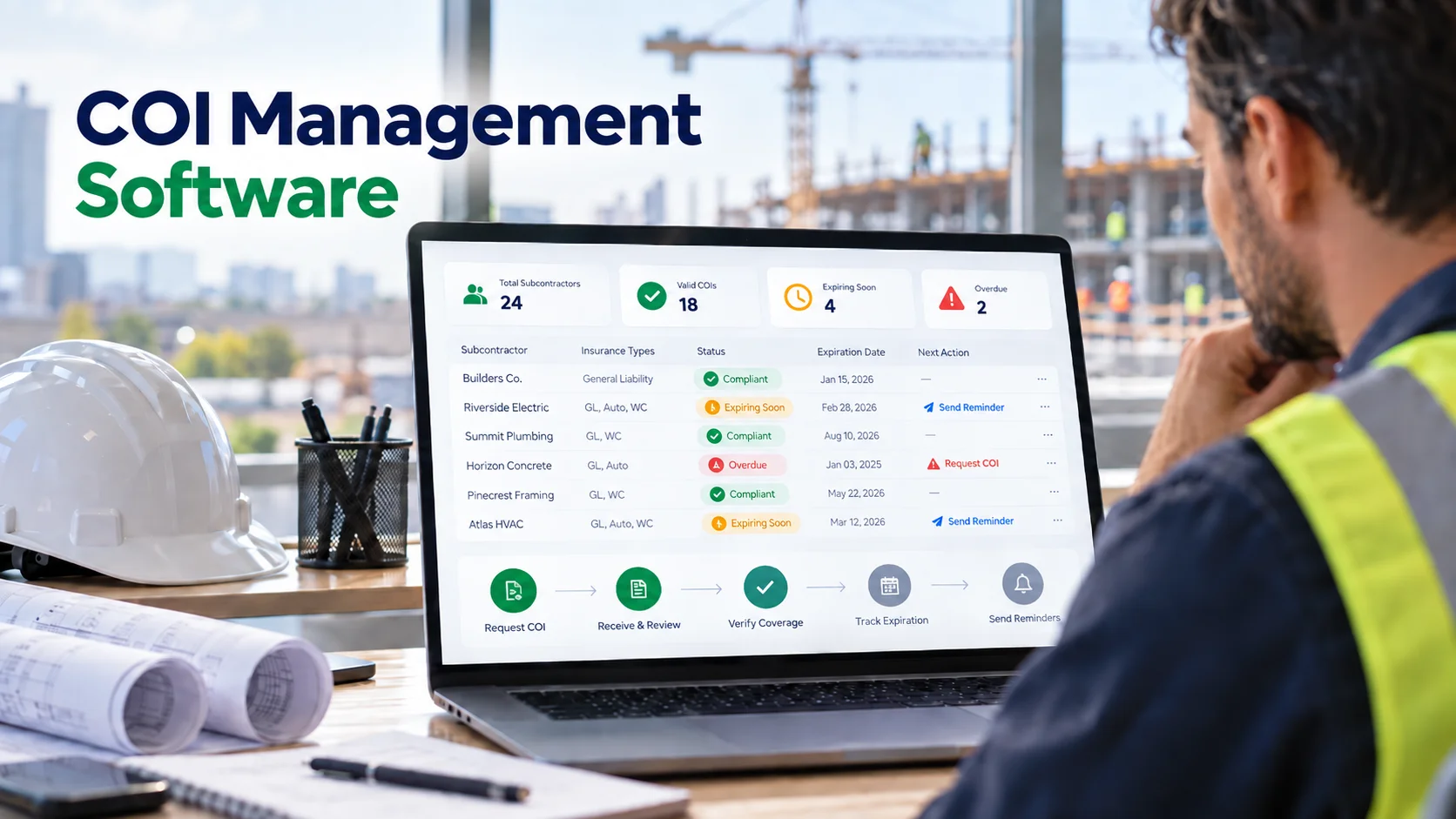
COI Management Software for General Contractors: Features, Workflows, and Buying Criteria
COI management software helps general contractors collect, organize, review, track, and renew Certificates of Insurance and related insurance evidence from subcontractors.
The value is not simply storing PDFs. A useful COI system should help a GC answer operational questions such as:
- Which subcontractors have current insurance?
- Which certificates expire soon?
- Which requirements are missing?
- Which certificates have been reviewed?
- Which endorsements still need to be collected?
- Which project has different insurance requirements?
- Who needs to follow up next?
That distinction matters because a certificate is only part of the insurance compliance workflow.
What COI management software should actually manage
A typical construction insurance file can involve more than one document and more than one decision.
Depending on the subcontract and project, a GC may need to track:
- General liability
- Automobile liability
- Workers' compensation
- Employers' liability
- Umbrella or excess liability
- Professional liability where applicable
- Contractors pollution liability where applicable
- Policy effective and expiration dates
- Additional insured requirements
- Primary and noncontributory requirements
- Waiver of subrogation requirements
- Project-specific limits
- Endorsements
- Exceptions or approvals
The software should organize those requirements without pretending that the certificate itself changes the underlying policy.
The current ACORD 25 certificate published by the New York Department of Financial Services states that it is issued for information and does not amend, extend, or alter the coverage provided by the policies. The form also warns that additional insured and waiver rights may require policy provisions or endorsements. That is why a COI workflow should distinguish between what the certificate displays and what must be verified elsewhere.
For a foundational explanation, see What Is a Certificate of Insurance for Subcontractors?.
Why spreadsheets become difficult for COI tracking
A spreadsheet can work well when the process is small.
For example, one office administrator may be able to track:
| Subcontractor | GL Expiration | Auto Expiration | Workers' Comp Expiration | Status |
|---|---|---|---|---|
| ABC Electric | 11/30/2026 | 11/30/2026 | 11/30/2026 | Current |
The problems begin when reality becomes more complicated.
The same subcontractor may:
- work on several projects;
- have different requirements by project;
- submit a replacement certificate before the old one expires;
- need additional endorsements;
- have one policy current while another is expired;
- receive an exception from the risk team;
- send documents through several email threads; and
- require repeated reminders before a renewal arrives.
A spreadsheet can record the final answer, but it usually does not preserve the full workflow around how that answer was reached.
12 features to compare in COI management software
1. Requirement templates
The system should let a GC define what insurance is required rather than forcing every subcontractor into the same profile.
Requirements may vary by trade, owner, project, contract, jurisdiction, and risk program.
If your team currently uses different insurance exhibits for different projects, ask the vendor to demonstrate how those differences are represented.
2. Project-specific requirements
A subcontractor can have a perfectly current company insurance program and still fail a project-specific requirement.
COI software should show compliance at both levels:
- company-level evidence; and
- project-level acceptance.
This reduces one of the most common spreadsheet problems: one “current” status being reused across every job even when requirements differ.
3. Expiration tracking
Expiration tracking is one of the main reasons GCs adopt purpose-built software.
Look for:
- expiration date capture;
- configurable warning periods;
- current / expiring soon / expired statuses;
- renewal history; and
- automatic status updates when dates pass.
The system should also make it easy to identify every expiration within a selected window, such as the next 30 days.
4. Automated reminders
A reminder feature should reduce repetitive follow-up, not create noise.
A useful system allows the GC to define when reminders are sent and stops escalating once an acceptable renewal is received.
Ask whether reminders can be configured at intervals such as 30, 15, 7, 3, and 0 days before expiration, and whether the GC can see what was sent.
5. Secure document requests
Subcontractors should have a simple way to submit insurance evidence.
That may be through:
- a secure upload link;
- a subcontractor portal;
- an invitation tied to specific missing requirements; or
- a controlled email ingestion workflow.
The important point is that documents should arrive in a predictable place and be attached to the correct subcontractor and project.
6. Review status
Uploaded does not mean approved.
COI management software should separate document receipt from compliance review.
Possible statuses include:
- Missing
- Received
- In review
- Accepted
- Rejected
- More information required
- Expiring soon
- Expired
This helps project teams avoid treating an unreviewed upload as completed compliance.
7. Endorsement tracking
A certificate can indicate certain insurance facts, but some contractual requirements depend on policy wording or endorsements.
For example, additional insured status is not the same thing as simply being listed as certificate holder.
See CG 20 10 vs. CG 20 37, Primary and Noncontributory, and Waiver of Subrogation for related concepts.
Software should therefore let the GC track the supporting evidence separately instead of assuming the COI alone proves every requirement.
8. Version history
When a subcontractor renews a policy, the new certificate should not erase the old compliance record.
A good system keeps:
- the prior document;
- upload date;
- who submitted it;
- review result;
- expiration date;
- replacement document; and
- status history.
That history is valuable when a GC needs to understand what evidence existed at an earlier point in the project.
9. Search and filters
COI software should make common questions easy to answer.
For example:
- Show every subcontractor with an expired workers' comp policy.
- Show every COI expiring within 14 days.
- Show every subcontractor missing auto liability on Project A.
- Show every received certificate still waiting for review.
If the team must manually sort a spreadsheet after every request, the workflow is still highly manual.
10. Role-based access
Insurance information may be reviewed by different people across the organization.
The software should support appropriate access for:
- risk/compliance staff;
- project managers;
- administrators;
- accounting;
- executives; and
- subcontractors.
A subcontractor should not gain access to another subcontractor's records simply because both use the same portal.
11. Reporting and export
Ask whether the software can produce and export:
- current compliance status;
- upcoming expirations;
- missing requirements;
- project-specific reports;
- activity history; and
- subcontractor lists.
Reporting is especially useful when the project team needs a quick readiness view before work starts.
12. Data ownership
Before committing to a system, ask how you can retrieve your data if you leave.
The ability to export records, metadata, and documents is an important part of operational resilience.
What COI management software cannot prove by itself
This is where some product claims become dangerous.
It cannot make the certificate become the policy
The underlying insurance policy and endorsements control coverage. A certificate is evidence, not a substitute for the actual policy language.
It cannot guarantee a claim will be covered
Coverage depends on the policy, exclusions, endorsements, facts of the claim, applicable law, and other circumstances.
It should not silently make complex insurance judgments
Software can identify that a field is missing or a date has expired. More complex issues should be routed to a qualified broker, risk professional, or attorney when appropriate.
The best software makes uncertainty visible rather than pretending it does not exist.
COI software vs. general document management
A general document management system can store insurance files.
COI management software should add insurance-specific workflow such as:
- requirement profiles;
- expiration logic;
- renewal reminders;
- review states;
- project-level compliance;
- endorsement tracking; and
- insurance-specific reporting.
If all the product does is create folders, you may still end up maintaining a separate spreadsheet for the actual compliance logic.
COI management software vs. a spreadsheet
A spreadsheet may be enough when:
- the subcontractor count is small;
- only one person manages compliance;
- requirements are nearly identical;
- renewals are infrequent; and
- document volume is low.
Software becomes more valuable when:
- multiple projects are active;
- many subcontractors renew throughout the year;
- requirements vary;
- several reviewers are involved;
- reminders consume significant staff time;
- documents arrive through many channels; or
- management needs current reporting.
See 5 Costly Mistakes Contractors Make When Tracking Subcontractor Insurance for common workflow failures.
Questions to ask a COI software vendor
During a demo, do not ask only “Can you track certificates?”
Ask the vendor to show these scenarios:
- A subcontractor with a certificate expiring in 10 days.
- A renewal received before expiration.
- A subcontractor with different insurance requirements on two projects.
- A COI received without a required endorsement.
- A rejected submission and corrected resubmission.
- A report showing all expired documents.
- A report showing all upcoming expirations.
- The audit history for one subcontractor.
- A subcontractor uploading a document without access to the GC's internal dashboard.
- Export of the GC's data.
The answers will reveal whether the product is managing a workflow or simply storing certificates.
How SubCada fits into COI management
SubCada is designed to help GCs organize subcontractor insurance requirements, collect documents, track expiration dates, send reminders, and keep compliance status visible across subcontractors and projects.
The intended role is administrative control and visibility.
Coverage interpretation remains with the people qualified to make those decisions.
That boundary matters because good insurance compliance software should help the GC identify exceptions faster, not hide them behind an overly confident “approved” badge.
Frequently asked questions
What is COI management software?
It is software that helps organizations collect, track, review, renew, and report on Certificates of Insurance and related insurance requirements.
Does a COI prove additional insured status?
A certificate can indicate additional insured information, but the ACORD form itself warns that the policy may need additional insured provisions or endorsements. GCs should follow their contract and risk-review process.
Can COI software replace a broker?
No. Software can organize evidence and automate administrative tasks, but brokers and other qualified professionals remain important for insurance advice and coverage questions.
How early should COI renewal reminders be sent?
There is no universal schedule. Many organizations use multiple reminders before expiration so there is time to resolve problems before the policy lapses. The schedule should match the GC's workflow and contract requirements.
Should COI software track endorsements?
If the GC's requirements depend on endorsements or other policy evidence, the system should be able to request, store, review, and report on those documents separately from the certificate.
Bottom line
COI management software is valuable when it turns insurance compliance from a collection of files and calendar dates into a visible workflow.
For general contractors, the most important capabilities are project-specific requirements, expiration tracking, renewal reminders, secure document collection, review status, endorsement tracking, history, reporting, permissions, and exportability.
The software should make the process easier to control. It should not make promises the insurance documents themselves do not make.
