Managing subcontractor compliance on one project is relatively straightforward. Managing the same subcontractor across five, ten, or twenty active projects is where spreadsheets, shared folders, and email threads start to become difficult to control.
A subcontractor may work on multiple projects while carrying one set of company-level credentials and several project-specific requirements. The compliance system therefore needs to answer two questions at the same time:
- What documents do we have for this subcontractor?
- Does this subcontractor satisfy the requirements for this specific project?
That distinction is the foundation of scalable subcontractor compliance management.
Why multi-project subcontractor tracking gets complicated
The problem is not simply the number of documents. It is the relationship between documents, projects, requirements, and time.
One electrical subcontractor might work on three projects with the same GC. Its general liability policy may apply across all three, but one project could require higher limits, a specific additional insured endorsement, or a project-specific document.
At the same time, a license or W-9 may belong to the subcontractor's central vendor record rather than to one project.
A useful model is:
Subcontractor → Documents → Requirements → Projects → Compliance status
Instead of:
Project → spreadsheet → email folder → PDF
Company-level documents vs. project-level requirements
This is one of the most important distinctions in a multi-project workflow.
Company-level information
Examples can include:
- Legal business name
- W-9
- Contractor license information
- General company contact information
- Master agreements
- Corporate insurance information where applicable
Project-level requirements
Examples can include:
- Required insurance limits for the project
- Additional insured wording
- Project-specific endorsements
- Owner-required documents
- Site safety requirements
- Project-specific certificates or certifications
- Contract-specific forms
The same document can be useful across multiple projects while the compliance decision can still differ by project.
Why one master spreadsheet often breaks down
A spreadsheet can work as an inventory, but it becomes harder to maintain when it has to represent relationships between many projects and subcontractors.
Imagine a sheet with columns for:
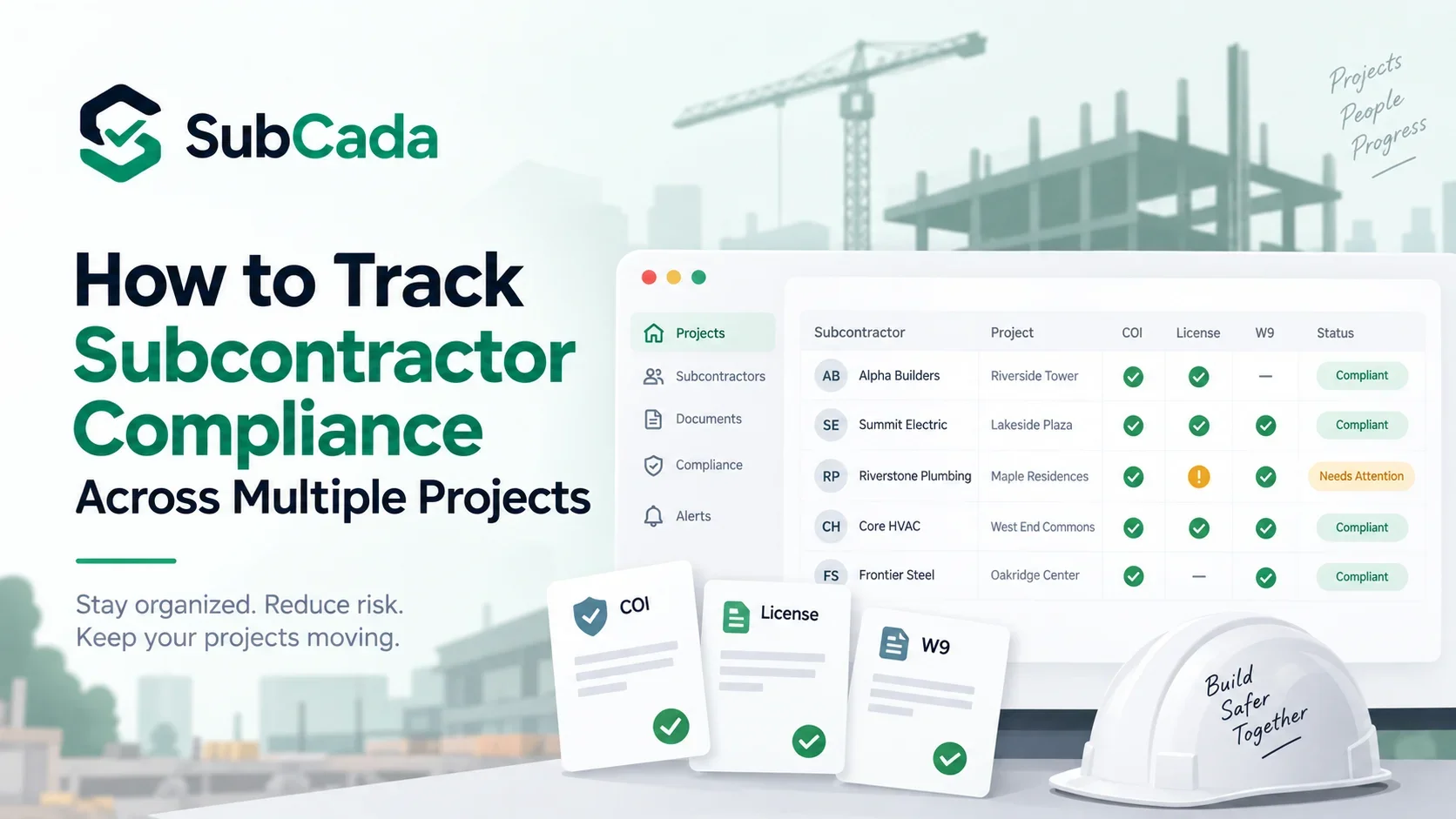
| Subcontractor | Project | COI Expiration | License | W-9 | Status |
|---|---|---|---|---|---|
| ABC Electric | Project A | Dec 15 | Active | Yes | Compliant |
| ABC Electric | Project B | Dec 15 | Active | Yes | Pending |
| ABC Electric | Project C | Dec 15 | Active | Yes | Compliant |
The same subcontractor and documents appear repeatedly. Eventually someone updates one row but not another.
A centralized model stores the document once and evaluates it against each project's requirements.
Build a master subcontractor record
Start with one record for each legal subcontracting entity.
A useful master record can contain:
- Legal name
- DBA
- Primary contact
- Email/phone
- Vendor ID
- W-9 status
- License information
- General compliance documents
- Insurance documents
- Document expiration dates
- Review history
Then connect that subcontractor to every active project.
This avoids creating separate versions of the same vendor in five different project spreadsheets.
Create a requirement set for each project
The next step is to define what each project requires.
For example:
| Requirement | Project A | Project B | Project C |
|---|---|---|---|
| General liability | $1M | $2M | $1M |
| Workers' compensation | Required | Required | Required |
| Auto liability | Required | Required | Not applicable |
| Additional insured | Required | Required | Required |
| Waiver of subrogation | Required | Not required | Required |
| W-9 | Required | Required | Required |
| Contractor license | Required | Required | Required |
| Safety document | Required | Required | Project-specific |
These numbers are an example of how to structure a requirement matrix, not universal insurance requirements.
The critical concept is that the project defines the compliance rules rather than assuming every project is identical.
Give every document a clear status
A document should not simply be “in the folder.” It should have a meaningful state.
Useful workflow statuses include:
- Missing
- Received
- Pending review
- Approved
- Expiring soon
- Expired
- Rejected
- Not applicable
A project-level compliance view can then answer which subcontractors are ready and which ones need attention.
Track the expiration date separately from the document
A PDF sitting in a folder does not tell you whether it is still current.
For expiring credentials, track at least:
- Document type
- Effective date where relevant
- Expiration date
- Last review date
- Current status
- Next action
This is particularly important for insurance and licenses that can change while a project remains active.
Build an exception workflow
The purpose of a compliance system is not to pretend that every file will always be perfect. It is to make exceptions visible and actionable.
For example:
ABC Electric — Project B — Pending — Required $2M GL limit not confirmed on current documentation. Request updated evidence.
Compare that with:
ABC Electric — Project B — Problem.
The first status tells the project team what needs to happen.
Assign an owner to every open issue
Missing documents become dangerous when everyone assumes someone else is following up.
Every exception should have:
- Owner
- Due date
- Subcontractor
- Project
- Missing requirement
- Last contact date
- Next action
- Resolution date
This creates accountability without requiring the compliance manager to remember every open item.
Use one subcontractor record with project-specific compliance views
A scalable structure looks like this:
SUBCONTRACTOR
    |
    +-- Documents
    |     +-- W-9
    |     +-- License
    |     +-- COI
    |     +-- Endorsements
    |
    +-- Project A
    |     +-- Requirements
    |     +-- Status
    |
    +-- Project B
    |     +-- Requirements
    |     +-- Status
    |
    +-- Project C
          +-- Requirements
          +-- Status
This prevents duplicate document storage while preserving project-specific compliance decisions.
How to handle a document used across multiple projects
Suppose a subcontractor uploads a current COI that covers the required period.
Do not create three unrelated copies just because the subcontractor works on three projects.
Instead:
- Store the source document with the subcontractor.
- Extract the relevant policy dates and coverage information.
- Compare it against Project A requirements.
- Compare it against Project B requirements.
- Compare it against Project C requirements.
- Record each project-level result.
One document can therefore produce different statuses depending on project requirements.
When should a document be replaced?
Replace or supersede the old version when the subcontractor provides a newer document that your process accepts as the current record.
Keep the historical version when your retention and audit policies call for it.
A useful document history can show:
| Version | Received | Expiration | Status | Reviewer |
|---|---|---|---|---|
| v1 | Jan 5 | Dec 31 | Superseded | Compliance |
| v2 | Jul 10 | Dec 31 next year | Current | Compliance |
This is much easier to audit than repeatedly overwriting a file named COI_FINAL.pdf.
What should a multi-project compliance dashboard show?
A useful dashboard should prioritize exceptions rather than simply count documents.
For example:
| View | What it answers |
|---|---|
| Project compliance | Which subs are ready for this project? |
| Expiring documents | What needs renewal soon? |
| Missing documents | Which requirements are outstanding? |
| Pending review | What has been received but not approved? |
| Non-compliant | Which records need immediate attention? |
| Subcontractor profile | What documents exist for this vendor? |
| Audit history | Who reviewed what and when? |
The exact dashboard depends on the organization's workflow, but the principle is consistent: show the next action clearly.
How to manage subcontractor compliance without constant email chasing
Email should be a communication channel, not the system of record.
A stronger process is:
Requirement created → document request sent → subcontractor submits → document reviewed → status updated → reminder triggered if needed → renewal monitored
When a document is missing, the system should make the outstanding requirement visible. When it expires, the record should become actionable instead of remaining buried in an old email thread.
This is the operational problem SubCada is designed to address: keeping subcontractor documents, expiration information, and compliance status organized in one place rather than requiring a team to reconstruct the current state from multiple spreadsheets and inboxes.
Multi-project subcontractor compliance checklist
- [ ] One master record exists for each subcontracting entity
- [ ] Legal name is standardized
- [ ] Vendor identity is connected to contracts and projects
- [ ] Company-level documents are stored once
- [ ] Each project has its own requirement set
- [ ] Project-specific insurance requirements are recorded
- [ ] Document status is tracked separately from file storage
- [ ] Expiration dates are tracked
- [ ] Document versions/history are retained as required
- [ ] Exceptions have an owner
- [ ] Open issues have due dates
- [ ] Renewal reminders are automated or assigned
- [ ] Project teams can see current compliance status
- [ ] Audit history records reviews and decisions
Common mistakes to avoid
Mistake 1: Duplicating every document into every project folder
This creates multiple versions of the same evidence.
Mistake 2: Treating company compliance as project compliance
A current W-9 does not satisfy a project-specific insurance endorsement requirement.
Mistake 3: Tracking only expiration dates
A document can be current and still fail a project requirement.
Mistake 4: Using email as the status system
The latest email is not necessarily the latest approved document.
Mistake 5: Having no owner for exceptions
A missing document without an assigned owner tends to remain missing.
Mistake 6: Overwriting history
Historical review records can be valuable during audits, disputes, and internal reviews.
Frequently asked questions
Should every project have a separate subcontractor spreadsheet?
Not necessarily. A centralized subcontractor record with project-specific requirement views can reduce duplicate data and make cross-project reporting easier.
Can one COI be used for multiple projects?
It can be relevant to multiple projects, but each project should be checked against its own contractual requirements. A document that works for one project may not satisfy another project's limits or endorsements.
What documents should be tracked across projects?
The answer depends on your contracts and policies, but common records include COIs, endorsements, licenses, W-9s, executed agreements, safety documentation, and project-specific forms.
How do you track subcontractor document expiration dates?
Store the expiration date as structured data, assign a status, and create reminders before expiration. Do not rely on the filename or on manually opening every PDF.
How can GCs reduce duplicate data entry?
Use one master subcontractor record and associate it with multiple projects. Store shared documents once and evaluate them against each project's requirements.
Final takeaway
Multi-project subcontractor compliance becomes manageable when you separate the subcontractor, the document, and the project requirement.
The goal is not to build a bigger spreadsheet. It is to create a reliable system that can answer, at any moment:
- What documents do we have?
- Are they current?
- What does this project require?
- Is this subcontractor compliant on this project?
- What is missing?
- Who owns the next action?
For GCs managing multiple active projects, that visibility is what turns subcontractor compliance from an administrative scavenger hunt into a repeatable workflow.
This article is general informational content and is not legal advice. Project and contractual requirements vary, so confirm specific insurance, licensing, tax, and document requirements with the applicable contract and qualified professionals.