Subcontractor Prequalification Software: A Practical Buying Guide for General Contractors
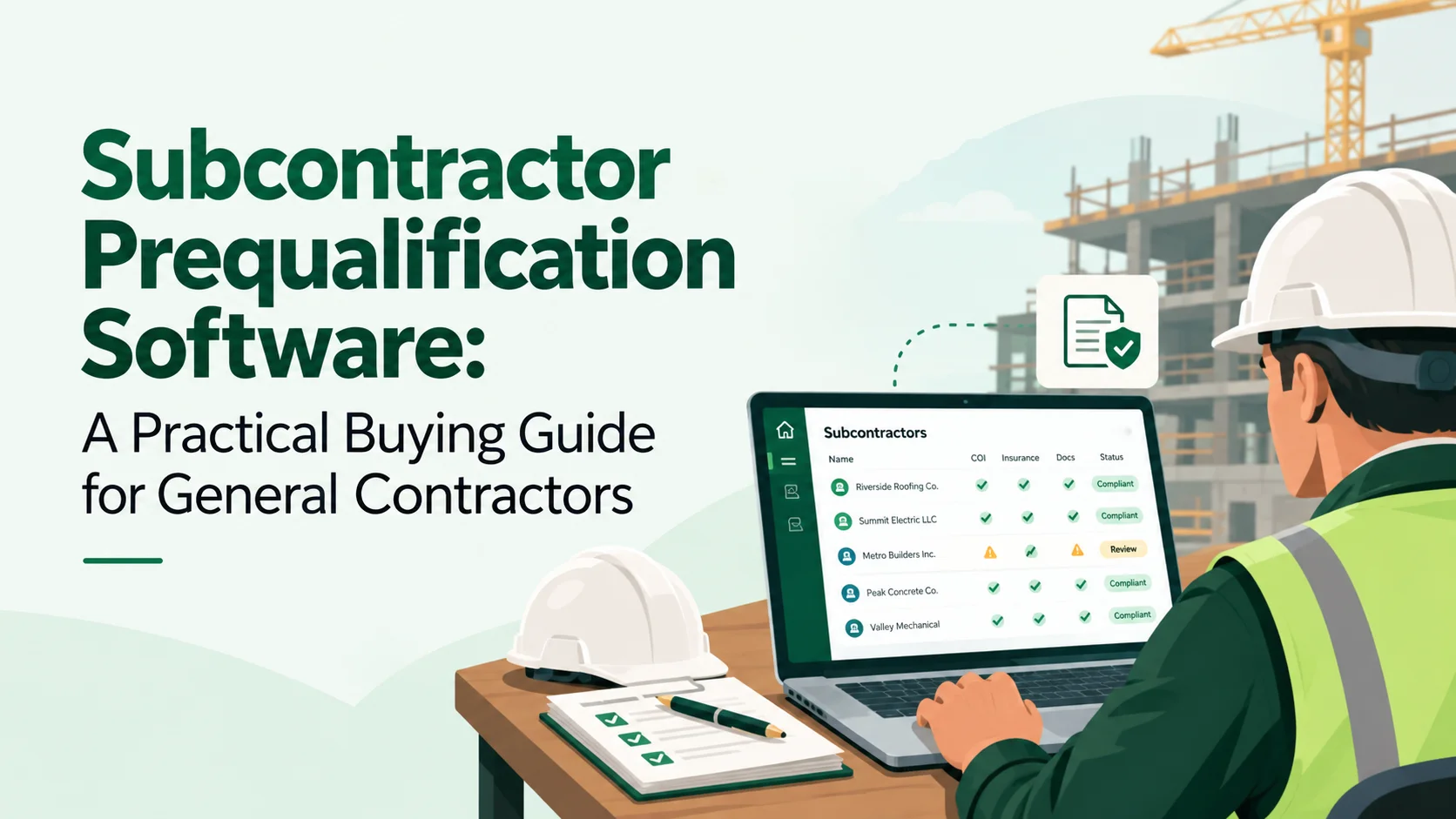
Subcontractor prequalification software helps general contractors collect, organize, review, and compare the information used before awarding work.
A good system does more than replace a PDF questionnaire. It should help the GC understand whether the subcontractor has supplied the information required for the proposed scope and whether the review is complete, incomplete, approved, rejected, or waiting for additional information.
The software should support professional judgment—not replace it.
A subcontractor can look strong in one area and weak in another. Current insurance does not prove financial capacity. A low EMR does not prove that every future project will be safe. Strong references do not replace licensing or project-specific requirements. Prequalification works best when the GC reviews multiple categories together and keeps the reasoning visible.
What is subcontractor prequalification software?
Subcontractor prequalification software is a workflow for gathering and reviewing information about trade contractors before award.
Depending on the GC and project, the process may include:
- Company information
- Ownership and contact details
- Trade and geographic capabilities
- Licenses and registrations
- Insurance
- Safety history
- OSHA records
- EMR
- TRIR
- Financial statements
- WIP schedules
- Backlog
- Bonding capacity
- Project references
- Litigation or claims questions
- Federal exclusions where applicable
- Certifications
- Project experience
- Workforce and manpower capacity
The exact checklist should be driven by the contractor's risk program, project, contract, jurisdiction, and professional advice.
For a broader explanation of what GCs commonly review, see Subcontractor Prequalification: What to Check Before You Hire a Subcontractor.
Why a simple prequalification form is not enough
A form collects answers.
A prequalification workflow needs to manage what happens after the answers arrive.
The GC may need to:
- Request missing information.
- Review uploaded documents.
- Verify licenses.
- Route financial information to an authorized reviewer.
- Compare safety information.
- Check project references.
- Request clarification.
- Record exceptions.
- Approve, conditionally approve, or reject.
- Preserve the review history for future awards.
If software stops at “form submitted,” much of the real work still happens in email, spreadsheets, and shared folders.
What information should the software support?
Company and trade profile
The basic profile should capture information that helps the GC understand what the subcontractor actually does.
Useful fields may include:
- Legal business name
- DBA name
- Office locations
- Primary contacts
- Trades performed
- Service area
- Years in business
- Typical project size
- Largest completed project
- Union/non-union status where relevant
- Self-performed scopes
- Lower-tier subcontracting practices
These answers help the reviewer determine whether the subcontractor's experience resembles the proposed award.
Licensing and registrations
Where licensing is required, software should help track:
- license number;
- jurisdiction;
- license type or classification;
- expiration date;
- verification date; and
- reviewer notes.
A database field saying “licensed = yes” is not enough if the license expires next month or applies to a different classification.
See How to Verify a Subcontractor's License Before Work Starts for a more detailed verification workflow.
Insurance
Prequalification may include evidence that the subcontractor carries insurance, but project-specific insurance requirements should still be reviewed at the appropriate stage.
Software should be able to distinguish:
- baseline qualification requirements; and
- project-specific insurance requirements.
For trade-sensitive insurance considerations, see Subcontractor Insurance Requirements by Trade.
Safety information
Safety review can include several different records and metrics.
For example, OSHA's annual-summary rule requires covered establishments to prepare an annual OSHA 300A summary from the OSHA 300 Log, and a company executive must certify the annual summary. The form is useful evidence, but it should not be treated as a complete safety score.
Related records may include:
- OSHA 300A summaries;
- EMR;
- TRIR;
- written safety programs;
- citations or enforcement history where relevant;
- training information; and
- project-specific safety requirements.
SubCada has separate guides on OSHA Form 300A, EMR, and TRIR.
The software should preserve the underlying values and documents instead of reducing every safety factor to one unexplained score.
Financial capacity
Financial review often requires controlled access because the information can be sensitive.
Depending on the GC and award size, the process may include:
- balance sheet;
- income statement;
- cash-flow information;
- supporting schedules;
- WIP schedule;
- backlog;
- bank or credit information where appropriate; and
- bonding information.
The reviewer should be able to restrict access and record conclusions without exposing sensitive documents to every project user.
See What Financial Statements Should a GC Request From a Subcontractor?, What Is a WIP Schedule?, and What Is a Subcontractor Backlog?.
Bonding capacity
Where bonding matters, the system should let the GC record:
- single-project capacity;
- aggregate capacity;
- current bonded backlog;
- surety information where appropriate;
- supporting letter or evidence; and
- review date.
Bonding capacity is not the same thing as a project bond. The software should keep those concepts separate.
See What Is Bonding Capacity for a Subcontractor?.
References and project history
References should be tied to meaningful context.
A reference for a $100,000 service job may not tell the GC much about the subcontractor's ability to execute a $5 million package.
Useful fields include:
- project name;
- scope;
- contract value;
- completion date;
- reference name;
- organization;
- contact details;
- questions asked;
- reviewer notes; and
- follow-up result.
See What Questions Should a GC Ask Subcontractor References?.
11 features to compare in subcontractor prequalification software
1. Configurable questionnaires
The GC should be able to create different questionnaires for different use cases rather than forcing every subcontractor through the same form.
A small service subcontractor may not need the same financial package as a major structural or mechanical trade partner.
2. Conditional questions
Good forms can reveal additional questions based on prior answers.
For example:
- If the subcontractor performs design, request professional liability details.
- If federal work is involved, request relevant federal information.
- If the subcontractor uses lower-tier subs, ask how they qualify and manage them.
Conditional logic keeps forms shorter while still collecting deeper information when needed.
3. File uploads tied to questions
Documents should not arrive as an unstructured pile.
If a question asks for an OSHA 300A, financial statement, license, or bonding letter, the uploaded file should remain tied to that requirement.
4. Review workflow
The system should support stages such as:
- Invited
- Started
- Submitted
- In review
- More information requested
- Conditionally approved
- Approved
- Rejected
- Archived
This makes responsibility visible and helps prevent submitted forms from sitting untouched.
5. Revision history
If a subcontractor changes an answer or uploads a new document, the GC should be able to see what changed.
Prequalification is often renewed annually or before major awards. History makes it easier to compare the current submission with the prior one.
6. Reviewer notes and decision records
The system should let reviewers document why a decision was made.
Examples:
- approved with a lower award limit;
- financial review required before awards over a threshold;
- updated insurance required before mobilization;
- safety plan required before field work; or
- additional references requested.
A decision with no reasoning is difficult to understand months later.
7. Permissions for sensitive documents
Financial statements and other confidential information should be protected.
Ask whether access can be restricted by role and whether document activity is logged.
8. Renewal and requalification
Prequalification should not be treated as permanent.
The software should support:
- renewal dates;
- annual requalification;
- document expirations;
- changed answers;
- new safety information;
- new financial information; and
- review reminders.
The right frequency depends on the GC's program and risk profile.
9. Project-specific qualification
A subcontractor can be generally qualified but still be a poor fit for a particular award.
Project-specific review may consider:
- scope experience;
- geographic capacity;
- manpower;
- backlog;
- schedule;
- bond capacity;
- project-specific insurance; and
- owner requirements.
Software should make that distinction visible instead of turning company approval into a universal green light.
10. Searchable subcontractor database
Once prequalification records accumulate, the database should help estimating and operations teams find candidates by:
- trade;
- location;
- approval status;
- experience;
- project size;
- license; and
- other relevant qualifications.
This turns prequalification data into a reusable business asset instead of a filing cabinet.
11. Export and audit trail
A GC should be able to retrieve:
- questionnaire responses;
- uploaded documents;
- reviewer notes;
- decision history;
- status changes; and
- reports.
That supports internal reviews, audits, migration, and continuity.
Avoid the “magic score” problem
Prequalification software often becomes tempting when it promises one number that tells the GC whether a subcontractor is safe to hire.
That number can be useful as a screening tool only if the inputs, weightings, exceptions, and limitations are understood.
A 92/100 score does not automatically answer questions such as:
- Is the license valid for this jurisdiction?
- Does the subcontractor have manpower for this schedule?
- Is the company already overloaded with backlog?
- Does the insurance meet this project's requirements?
- Did a financial reviewer identify a material concern?
- Is the subcontractor experienced in this exact scope?
The better approach is to keep important underlying evidence visible and use scoring, if any, as an aid rather than a replacement for review.
Prequalification software vs. a PDF form
A PDF form can be effective when:
- submissions are infrequent;
- the subcontractor pool is small;
- one person performs the entire review; and
- renewal history is not difficult to manage.
Software becomes more useful when the GC needs:
- repeated invitations;
- multiple reviewers;
- document uploads;
- secure financial access;
- clarification requests;
- conditional approval;
- requalification;
- searchable records; and
- consistent decision history.
Questions to ask during a demo
Ask the vendor to show real workflows, not presentation slides.
- Invite a subcontractor to a questionnaire.
- Upload a financial statement and restrict it to specific reviewers.
- Request more information after submission.
- Show what the subcontractor sees.
- Compare two revisions of the same submission.
- Approve a subcontractor conditionally.
- Requalify the subcontractor next year.
- Find all approved electrical subcontractors in a selected region.
- Export the full qualification record.
- Show the audit history.
- Show how project-specific qualification differs from company-level approval.
How SubCada approaches prequalification
SubCada's prequalification workflow is designed to help GCs create forms, send them to subcontractors, collect responses and documents, request corrections, and maintain review status.
The goal is to create a structured record around the decision.
The GC remains responsible for deciding:
- what questions matter;
- which documents are required;
- who is qualified to review sensitive information;
- what exceptions are acceptable; and
- whether the subcontractor should receive the award.
Software organizes the process so those decisions are easier to make consistently.
Frequently asked questions
What is subcontractor prequalification software?
It is software that helps a GC collect and review subcontractor qualification information before award, including company information, licenses, insurance, safety, financials, capacity, references, and supporting documents.
Does prequalification software tell you whether a subcontractor is safe?
It can organize safety information and flag missing data, but safety performance should not be reduced to an automatic conclusion without context and professional judgment.
How often should subcontractors be requalified?
There is no universal interval. Many GCs use periodic or annual review plus event-driven updates for expiring documents, major changes, or new awards. The schedule should match the GC's risk program.
Should financial statements be visible to every project manager?
Usually sensitive financial information should be restricted according to the GC's internal roles and policies. Software should support that separation.
Is prequalification the same as compliance tracking?
They overlap but are different. Prequalification evaluates whether a subcontractor is an acceptable candidate for award. Ongoing compliance tracking manages requirements that must remain current before and during work.
Bottom line
Subcontractor prequalification software should make the GC's review process structured, repeatable, and auditable.
The most useful systems connect questionnaires, documents, review status, sensitive-data permissions, revision history, project-specific qualification, requalification, and searchable subcontractor records.
The software should not replace the GC's judgment. It should make the evidence and the decision process easier to see, verify, and repeat.